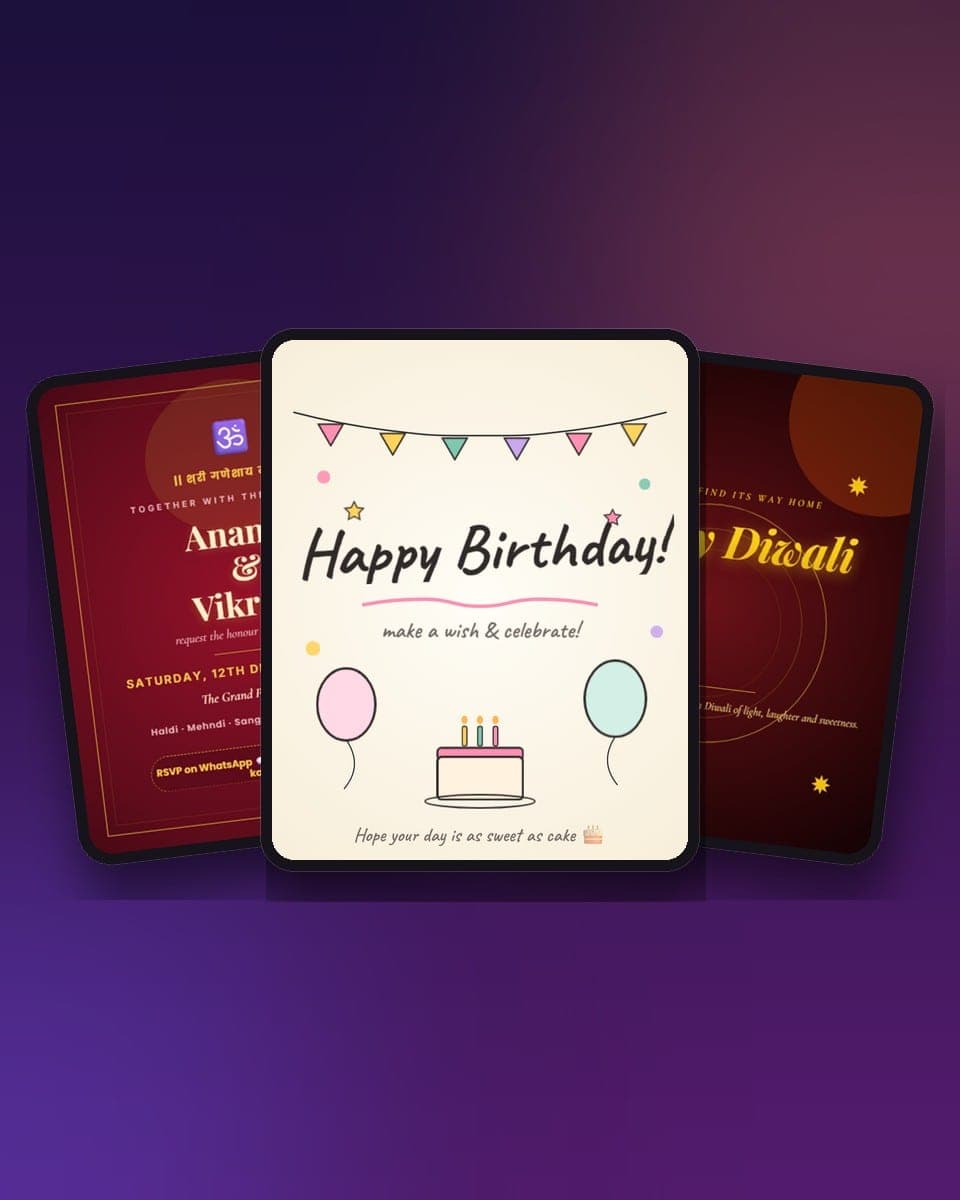
Momento Studio has 211 animated card templates in 26 categories, and every one of them is free to open and edit in your browser without signing up. This is the full catalogue, sorted the way people actually look for a card: by what has happened (a wedding, a birthday, Diwali, a launch) and by where it is going (a WhatsApp chat, an Instagram story, a screen at the venue).
If you only want the list, it lives on the Studio templates page, where every template has a button that opens it in the editor. This guide is for choosing well: which shelf to look on, which format to pick, what each template is good at, and how to get it out of Studio and into the hands of the person it is for.
What a Studio template is
A Studio template is a finished animated design with the editing left open. Each one is a document with layers (text, photos, shapes, stickers, sometimes 3D props), a timeline that says when every layer enters and how it moves, and often more than one page. When you open it, the motion is already done. You change the words, drop in your photos, maybe swap a colour, and the animation stays attached to each layer.
That is the difference from a static template: a Diwali greeting here is not a picture of diyas, it is diyas lighting one by one with a rangoli halo that breathes, and your family's name in the right place.
Three facts worth knowing before you choose:
- Free to edit, no sign-up. You can open any template, edit it and preview it as a guest. You sign in only to save, share or export.
- About one in five is free to export and share as well. The rest are Pro templates: when you export or share one, you unlock it once for ₹19 in India or $1.99 elsewhere, and it stays yours for every future card.
- Exports: MP4 or WebM video, animated GIF, PNG or JPG, or a link that plays the animation in any browser with no app.
If you already know the occasion, there is a shorter page for each of the big shelves, with its own guide: invitation card templates for the home, the party and the sanskars, wedding invitation templates, birthday card templates, Diwali card templates for the 2026 week, festival card templates for everything from Holi to New Year, Instagram story templates for every 9:16 design, social media post templates for launches, quotes, flyers and banners, and Christmas and New Year card templates for the holiday season.
Pick the format first
Templates are built at the size of the screen they are meant for, and the catalogue is split by it. Choosing the wrong one is the most common mistake: a 9:16 story posted as a feed image loses its top and bottom, and a 4:5 card used as a status gets letterboxed.
| Format | Size | Use it for | Templates |
|---|---|---|---|
| 4:5 | 1080 × 1350 | Instagram feed posts, WhatsApp cards, invites you might also print | 111 |
| 9:16 | 1080 × 1920 | Instagram and WhatsApp stories, reels, status, phone wallpapers | 51 |
| 1:1 | 1080 × 1080 | Square posts, profile tiles, quick thank-yous | 44 |
| 16:9 | 1920 × 1080 | Screens at a venue, slides, YouTube, welcome banners | 2 |
| 21:9, 2:3, 4:1 | varies | Cinematic intro, Pinterest pin, LinkedIn-style banner | 3 |
Rule of thumb: 4:5 for a chat, 9:16 for a story, 1:1 if you are not sure.
Invitations
Ten invitation templates, all 4:5, all with a date block and an RSVP line already laid out. Start with the one closest to the mood of the night:
- Elegant Dinner Party, a candlelit menu-card invite for a small dinner at home.
- Game Night, neon controllers and popcorn, also right for a movie night.
- Cozy Housewarming, an illustrated house under fairy lights for the casual kind.
- Griha Pravesh, toran, kalash and rangoli in red and gold for the traditional kind.
- We Have Moved, a clean address block for the announcement that goes to everyone.
- Event Invite, a sleek dark card when the gathering has no theme beyond "come".
Before you send
Put the date, time and address in the words, not only in the picture. When someone forwards the card as an image, the caption is the first thing that gets lost. For invitations that need a venue map and a one-tap WhatsApp RSVP, the online invitation maker templates have those built in.
Weddings and Indian ceremonies
Thirteen wedding templates cover the whole run of functions, not just the main card:
- Save the date: Wedding Save the Date in gold on burgundy, Photo Save the Date with a full-bleed couple photo and a countdown line, and the four-page Wedding Story.
- Haldi and mehndi: Haldi Ceremony in sun-yellow with marigolds, Mehndi Night in henna green and rose with paisley.
- The card itself: Traditional Red & Gold with a Ganesha blessing and the full function list, Royal Wedding, Royal Couple, Pahadi Shaadi for a mountain wedding, Pastel Floral and Minimalist Wedding for the quiet modern kind.
- Engagement: Engagement Bubbly and the three-page Engagement Trio: question, answer, date.
The sanskar invites live on the Baby and Invitation shelves: Naamkaran, Mundan, Upanayana (janeu) and Annaprashan, each with Hindi blessing lines and the regional variants (Brahmopadesham for the South, Yagnopavit for the North; a Bengali mukhe bhaat touch) already written.
Birthdays
Eleven birthday templates, from toddler to milestone:
- Doodle Birthday, hand-drawn bunting, balloons and marker text. The friendliest of the set.
- Make a Wish, warm pastel with cake and confetti.
- Birthday Confetti and Birthday Balloons for the bright, simple ones.
- Kids Candy Birthday, bouncing balloons and lollipops.
- Neon Birthday, a dark 9:16 story with glowing party energy.
- 30, 40 and 50 milestone cards, Elegant Adult Birthday and a Retro 70s card for the one who wants a theme.
For a birthday that should be played rather than read, the 3D cards do that better: a confetti popper that fires on tap, a photo scrapbook that tells itself, or the birthday games.
Festivals: the biggest shelf
Eighty-nine festival templates, more than a third of the catalogue, in all three main formats. By occasion:
- Diwali: Diwali Deepak, glowing diyas on jewel maroon with a golden rangoli halo, and the three-page Diwali Blessing: light, wish, family. For a playable Diwali with rangoli, diyas, kandils and fireworks in five scenes, see the Diwali Celebration 3D card and the Diwali card makers.
- Holi: Holi Color Burst with pigment splashes and the multi-page Holi Burst.
- Independence Day (15 August): the premium set of four, 79th Independence Day Flypast with the Red Fort and Ashoka Chakra, the cinematic Tiranga Flow Story, the sunrise Celebration Square and the white Monuments Minimal, plus tricolour, kite and chakra cards.
- Raksha Bandhan: Rakhi, Sister Bond, Modern Square and a Brothers Story.
- Janmashtami: Flute, Dahi Handi and a Mantra Square.
- Onam and Pongal: Onam Pookalam, Pookalam Stack, Onam Feast Story, Vamana Portrait and Pongal Greeting.
- Rath Yatra and Guru Purnima: Chariot, Temple Story, Minimal; Saffron, Book and a Guru Purnima Thank You.
- Eid and Milad-un-Nabi: Eid Mubarak, the Eid-al-Adha Sacrifice, Crescent Story and Family Portrait, the three-page Eid Blessing and Milad-un-Nabi Emerald.
- Friendship Day: Bracelet, Polaroid and Emoji Burst.
- Christmas, New Year and 4 July: Christmas Cozy, Holiday Cheer, the New Year countdown story, New Year Elegant; Fireworks, Flag Stripes and Cookout for the Fourth.
Festival wishes, the fast way
Baby, naming and christening
Four templates, all 4:5: Baby Announcement in soft pastel clouds, Naamkaran Sanskar with kalash, om, marigold toran and a peacock feather, Christening Blessing in white and gold with a dove, and Baby Naming Celebration, a modern pastel naming-day invite with a photo frame that works for any faith. The Baby Shower and three-page Baby Trio sit on the Congrats and Multi-page shelves.
Love, anniversaries and proposals
Six love cards and six anniversary cards:
- I Love You, a tender red heart card; Handwritten Love on torn cream paper; Heart Rain, a 9:16 story of falling hearts.
- Poem Reveal, a typewriter poem that appears line by line on velvet plum. Replace the poem with your own.
- Marry Me, a quiet cream card with a single question. For a proposal that answers back, use the 3D proposal cards.
- Miss You for someone far away, and the long-distance cards if the distance is the whole point.
- Anniversaries: Golden Anniversary, First Anniversary in gold foil on velvet noir, Typography Love, Photo Memory Frame, a polaroid collage with year stamps, Anniversary Rose and Decades Together.
Congratulations, thank you and sympathy
- Congrats (7): Congratulations, Promotion with a rising arrow, New Job, First Home, Housewarming, Baby Shower and Happy Retirement. Graduation Day and the three-page Graduation Arc are next to them.
- Thank you (2): Thank You in calm sage and Grateful Coral, plus the three-page Thank You Three. For a team, the team thank-you cards are built for group sending.
- Sympathy (4): With Deepest Sympathy with no decorative motion at all, Soft Sage Condolence with a single olive branch, Candlelight Memorial and Feather Falling. These are deliberately slow. Do not add music.
- Also here: Get Well Soon, Good Vibes and the Farewell paper plane.
Father's Day and Teacher's Day
Four cards for Dad: Father's Day Classic in navy and tobacco with a tie, Father's Day Grill for the grill-master, a handwritten typewriter note on cream paper in story format, and Dad's Workbench, where the tools on a pegboard reveal your message.
Six for Teacher's Day: the Chalkboard with one handwritten answer in chalk, the warm Apple square, a Notebook Story where each line is written and then ticked in red, an Editorial poster, The Dots You Connected, where a pencil draws a constellation, and the three-page Paper Plane Story.
Multi-page stories
Twenty templates with three to five pages, each page its own scene on the timeline. They are the closest thing in Studio to a short film:
- Birthday Story Arc: tease, wish, toast.
- Wedding Story: four pages with a venue card.
- Anniversary Decades: then, now, forever.
- Launch Countdown: 5, 4, 3, 2, launched. Product Reveal and Promo Flash for the business version.
- Love Letter, Housewarming Trio, Christmas Story, New Year Resolution, Event Three-Step, Quote Three-Beat and Photo Trip, a four-page trip recap with a cover, two memories and a sign-off.
Any single-page template can also be extended: add a page on the timeline and it becomes a story.
Business, social and motion
Studio is not only for greetings. Seventeen templates are for work and social:
- Business (6): Product Launch in dark mode with a neon ticker, Testimonial Card, Brand Quote Card, Business Event Flyer for a panel or talk, a 4:1 LinkedIn Banner and a square Podcast Cover.
- Social (5): Quote Story, Before / After with a slider hint, Countdown Story, a 2:3 Pinterest Pin and a 16:9 YouTube Thumbnail.
- Motion (6): a 21:9 Cinematic Intro with a shutter reveal, Explosive Reveal, Typewriter Monologue, a pure Loop Mood, Promo Burst and Kinetic Type, where each word lands at a different time.
- Also: Sale Promo, Minimal Quote, the Story Reel, a Good Morning story, a 16:9 Welcome Banner for screens, and a To-Do List you can tick.
For teams sending in bulk, the corporate cards and employee appreciation cards handle names and recipients for you.
How to go from template to sent
- Open the template from the catalogue. It loads in the editor with its pages and motion already set.
- Tap any text and retype it. Swap the photo frames for your own pictures; crop and filter them in place. Change a colour or a font if you want to; leave the motion alone unless you have a reason.
- Add music from the library, or upload a clip, and set where it starts on the timeline. Add a page if the card needs another scene.
- Share or export. Share as a link to have the full animation play in any browser, or export MP4 for Instagram and status, GIF for a chat, PNG or JPG for print. If the template is Pro, you unlock it once here.
Before you send
Preview on a phone before you send. Studio's preview matches the format, but a chat compresses GIFs; if the loop looks muddy, send the link instead, or export MP4 and let WhatsApp play it inline.
Studio templates or 3D cards?
MomentoCard has two kinds of templates and they are for different moments.
| Studio templates | 3D cards | |
|---|---|---|
| What it is | An editable design with layers, pages and a timeline | A finished interactive scene you fill in |
| You control | Everything, in a Canva-style editor | The words, photos and colours in the slots |
| Time to make | 3 to 10 minutes | Under a minute |
| Output | MP4, GIF, PNG, JPG or a link | A link, with video export |
| Best for | Invitations, posts, reels, business, festival wishes with your own layout | Games, surprises, stories, proposals |
| Where | momentocard.app/studio | momentocard.app/templates |
Use Studio when the design is the point: your logo on a launch, the family photo in the naamkaran invite, the exact wording of a wedding card. Use a 3D card when the experience is the point: something that opens, plays and surprises, sent in a minute. Many people do both, a Studio invitation for the group and a 3D card for the one person who should get something more.