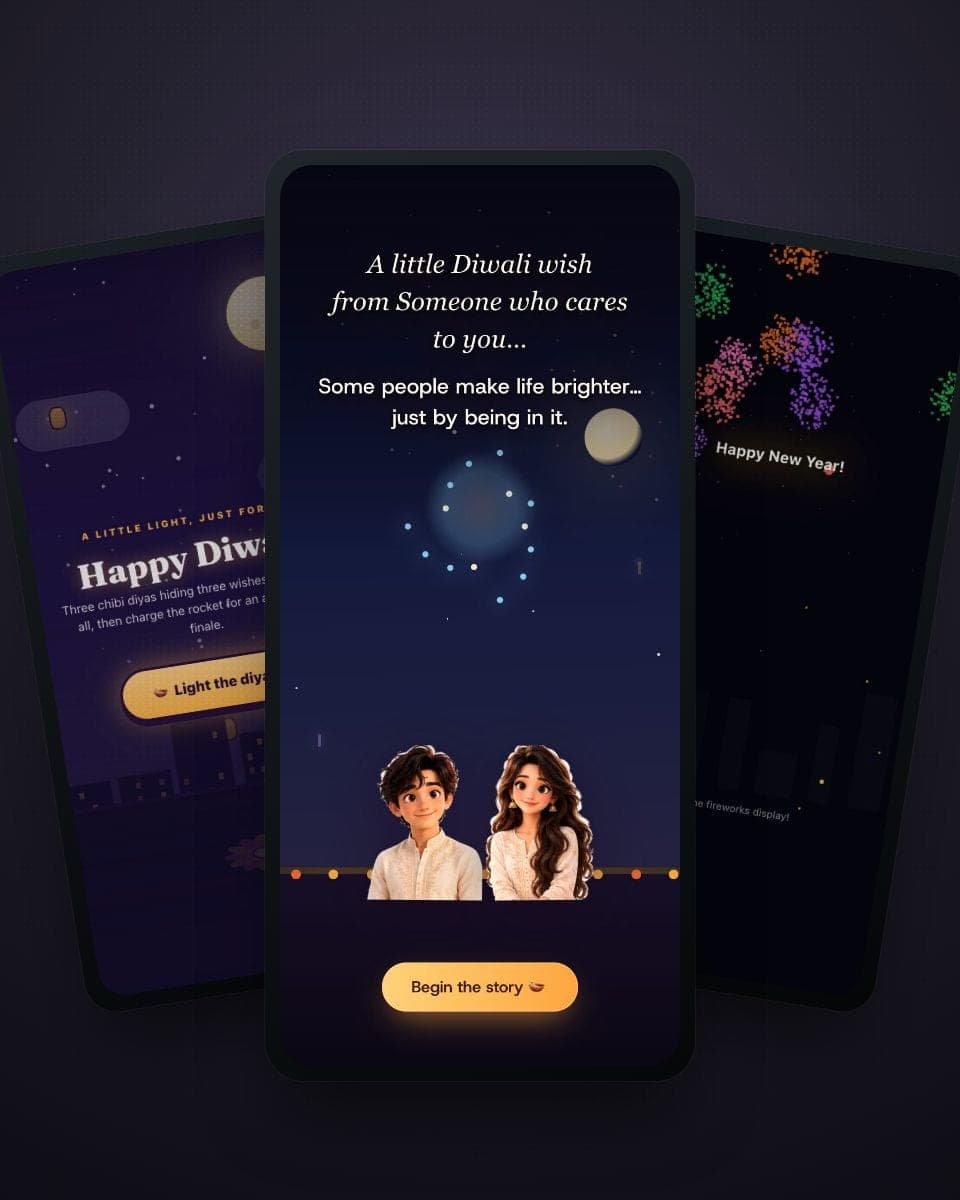
Short answer: open a Diwali template, type the receiver's name and your wishes (Hindi, English or full Hinglish), add a photo if you like, and share the link on WhatsApp. Two minutes, completely free, no app or sign-up for either of you. Diwali 2026 falls on Sunday, 8 November.
Now the longer answer — because a Diwali card can be so much more than a static image with a diya clip-art.
Why a link beats a forwarded image
Every Diwali, the same thing happens: by 9 am the family group has fourteen identical "Happy Diwali" images, and nobody remembers who sent which. A made-for-them card is different in three ways:
- It has their name on it. Not "Happy Diwali to all" — their name, in the lights.
- It moves. Diyas flicker, fireworks burst, and in the playable card they light the diyas themselves.
- It's a link, not a file. No blurry compression, no 4 MB download — it opens full-screen in any browser with music.
Step 1 — Pick your template
Start at the Diwali card maker and choose the vibe:
- Anime Diwali Blast — the playable one. The receiver taps three chibi diyas to light them (each hides a wish you wrote), charges a pataka rocket, and gets a fireworks finale around their photo. Best for friends, cousins and anyone under 60 with a sense of fun.
- The Diwali Wish That Found You — the emotional one, and the only one that is a short film rather than a card. Someone sits alone on a rooftop thinking about you; you tap once to light their diya, and the wish becomes a spark that crosses rooftops and cities until it reaches you and lights yours too. Your own photos rise as polaroids along the way. It asks who is sending, who is receiving and what you are to each other — partner, best friend, sibling, family — and rewrites its own words to match, so a card for your sister never reads like one for your partner. Best when you are in different cities this Diwali.
- Diwali Celebration — the family story. A tap-to-play doodle tale of a sister who can't light the rocket, a brother who takes over and gets a face full of soot, Lakshmi pooja, mithai and a family photo under your greeting. Your siblings' names go in the speech bubbles. Best for the family group and for Bhai Dooj.
- Fireworks Display — the grand finale as a whole card. Their name, your greeting, a sky full of fireworks.
No account needed to start — the template opens straight in the browser.
Step 2 — Names, wishes and the three-diya trick
Every template has a name slot and a message slot. The anime card goes further: each of the three diyas hides one line that appears when it's lit. Use them like a three-part message:
- Diya one: the wish — "May your year sparkle louder than a whole box of patakhe."
- Diya two: the personal bit — "Also, your rangoli was better than mine. Once. In 2019."
- Diya three: the sign-off — "Love you loads. Come home soon."
Stuck for words? The Diwali card maker page has copyable wishes in Hindi, English and Hinglish, plus a separate tab of professional lines for clients and teams. There's an even bigger library in our Diwali wishes and messages guide.
A few that always land:
- "दीयों की रोशनी आपके जीवन के हर अंधेरे को उजाले में बदल दे। शुभ दीपावली!"
- "May your Diwali be as bright as the first diya and as sweet as the last laddoo."
- "Mithai ka dabba open, dil ka darwaza bhi open — Happy Diwali mere yaar!"
Step 3 — Photo and music
Upload a photo straight from your phone — in the anime card it appears at the heart of the fireworks finale, which is exactly as dramatic as it sounds. Then pick a track from the music library so the card opens with sound. Both steps are optional; both are worth the extra minute.
Step 4 — Share it on WhatsApp (or anywhere)
Tap Share and send the link. That's genuinely it. The card plays full-screen in the receiver's browser — Android, iPhone, laptop, Dadi's tablet — with no app to install and no account to create. Send the same link to a group, or spend two minutes per person and give everyone their own named card. If you want the card as a video for an Instagram story or reel, the video export has you covered.
For the full sharing walkthrough, see how to send a greeting card on WhatsApp.
When to send: the five days of Diwali 2026
| Day | Date 2026 | Card moment |
|---|---|---|
| Dhanteras | Friday, 6 November | Early birds send business greetings today |
| Choti Diwali | Saturday, 7 November | Best evening to send — beats the morning flood |
| Lakshmi Puja (Diwali) | Sunday, 8 November | The main night — family cards land before puja |
| Govardhan Puja | Monday, 9 November | Missed the day? A "belated but heartfelt" card still glows |
| Bhai Dooj | Tuesday, 10 November | Sibling cards — the festival's family finale |
Dates follow the lunar panchang and can shift by a day between regions.
For businesses: client and employee greetings
Diwali is the one festival where a greeting is practically mandatory — which is exactly why a named, animated card cuts through. Put each client's name on the card, keep the message warm but professional (the maker page has a Clients & teams tab), and send the link by email or WhatsApp. Sending to a whole employee or client list? MomentoCard for Business automates festival greetings end to end.
Make yours now
The diyas are drawn, the fireworks are loaded, the music is waiting — all that's missing is a name. Start at the free Diwali card maker, or jump straight into the Anime Diwali Blast template and light the first diya yourself.